

Creating Business SOPs That People Actually Use
By Asli KahramanMost businesses that try to document their processes end up in the same place. The SOPs get written, shared once, and then quietly ignored. They sit in a forgotten Google Drive folder or a binder nobody opens, while the team keeps doing things the way they always have.
When that happens, the cost shows up everywhere. Quality depends on who is working that day. New hires learn by shadowing and asking the same questions again. The gap between what's documented and what people actually do keeps growing, and workarounds become the real process.
The problem is rarely that SOPs were never written. It's how they were created. This guide covers the five mistakes that turn SOPs into shelfware, and what to do instead. If you're looking for the step-by-step of writing a single SOP, see How to Write an SOP That Your Team Will Actually Follow. This post is about making the whole set of SOPs something your team uses every day.
Mistake 1: Writing for Experts, Not for the People Doing the Work
Ever tried to follow a recipe written by a professional chef? It assumes you know what "fold in the egg whites" means. SOPs written by the person who knows the task best often fall into the same trap: jargon, skipped steps, and assumptions the reader can't fill in.
The goal of an SOP isn't to show expertise. It's to let someone else do the task correctly and confidently. A few rules help:
- Use simple, direct language. Write "Upload the file", not "The file should be uploaded."
- One action per step. If a step needs a paragraph, it's probably several steps.
- Show, don't just tell. An annotated screenshot or a short video often beats a page of text.
- Write in the language your team works in. For Landworks Fence, a fencing company with a largely Spanish-speaking crew, the field team SOPs were translated into Spanish so every installer could follow the standard. See the Landworks Fence case study.
The benchmark is the new hire test: could someone in their first week complete the task with your SOP and minimal supervision? If not, simplify.

Mistake 2: Creating SOPs in an Echo Chamber
A manager presents a detailed new process, and the team responds with blank stares. The procedure is technically correct and practically unworkable. That's what happens when SOPs are written top-down, without the people who do the work.
Involving the team produces more accurate SOPs and, just as importantly, a sense of ownership. People follow processes they helped shape. A simple approach:
- Draft a first version. The process owner writes a starting point.
- Walk through it with the people who do the task. Their details and edge cases are what make an SOP usable.
- Refine it together. Make edits live, so the final version is a shared agreement on how the work gets done.
This is also why we build operations manuals through structured Knowledge Extraction Calls with the owner and the right people on the team, rather than from a questionnaire.
We run a separate call for every distinct role, not just every team. If your marketing team has ten people in ten different roles, from the marketing manager to the paid ads and email marketing specialists, that's ten conversations, because each of them works on something different.
Mistake 3: The "Set It and Forget It" Mindset
Using an outdated SOP is like navigating with a map from ten years ago. Tools change, processes evolve, and people move on. An SOP that no longer matches reality is worse than none at all, because it creates false confidence.
- Give every SOP an owner who is responsible for keeping it accurate.
- Schedule reviews for your key processes, and update an SOP the same day a process changes.
- Make it easy to flag problems. A comments feature, a feedback form, or a dedicated channel turns the whole team into process guardians. Topline Pavement Services added a "fix request" form right on the home page of their operations manual for exactly this.

Mistake 4: Storing SOPs Where Nobody Looks
Even a clear, current SOP is useless if it's buried three folders deep. SOPs need to be easy to find, easy to read, and available at the moment someone needs them.
That means one organized operations manual rather than scattered files, with a hub for each team, a consistent template for every SOP, and links from the places your team already works. Collision Xperts, an auto collision repair company with three locations, already had plenty of documentation, but it was disconnected and hard to find. Once everything was reformatted and brought into one 13-section manual, onboarding and training time for new hires dropped significantly. See the Collision Xperts case study.
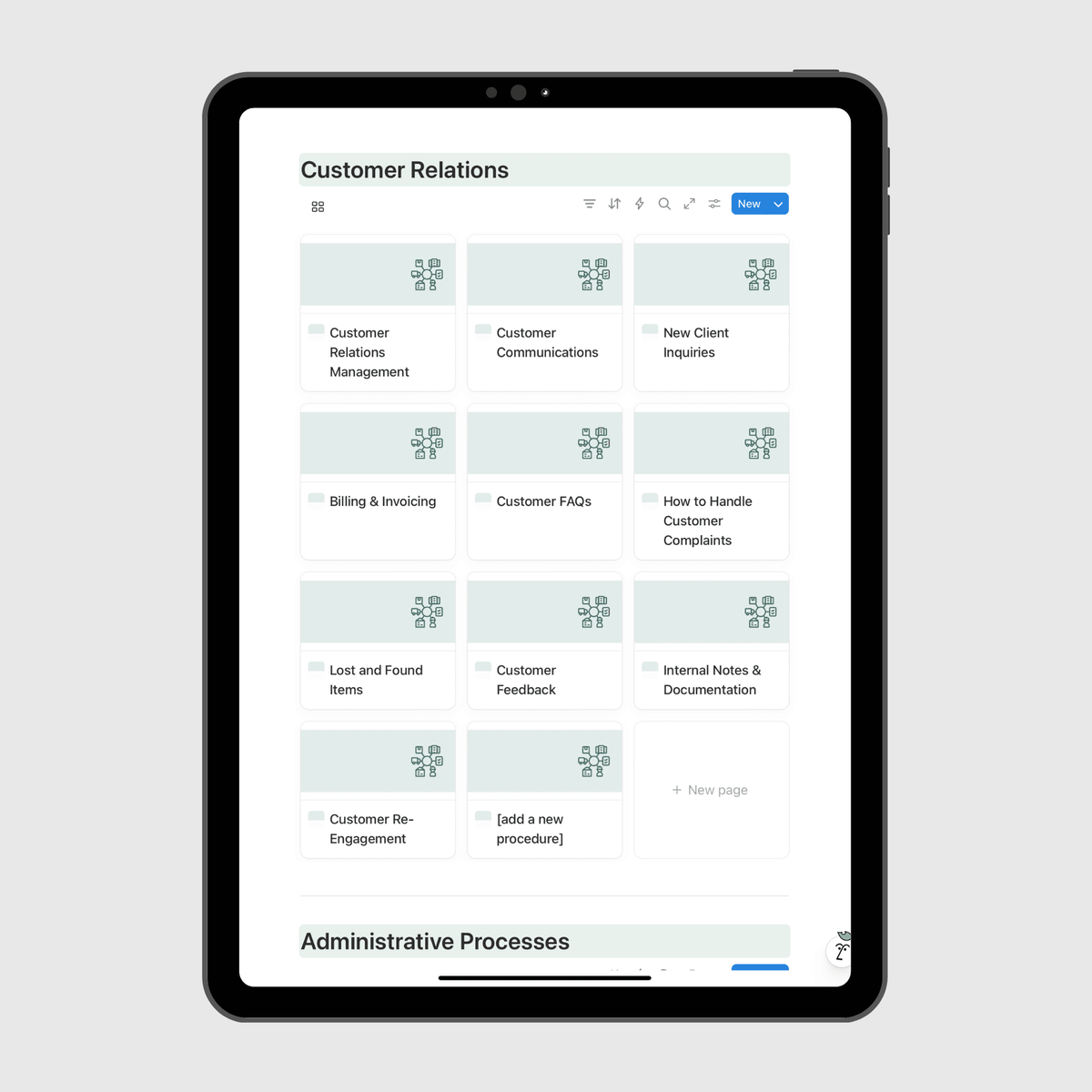
Inside the manual, SOPs also link to each other. When an account manager reaches the step in client onboarding where the first invoice goes out, that step links straight to the billing and invoicing SOP, with the tutorial embedded, so nobody has to search for it.
What every SOP should include
| Component | Purpose | Example |
|---|---|---|
| Clear title | Makes the SOP easy to find | "Onboard a new client" |
| Purpose | Explains why the process matters, in one sentence | "To make sure every client's details are captured accurately." |
| Owner and last reviewed date | Shows who keeps it current and whether to trust it | "Owner: Office Manager. Reviewed: March" |
| Roles | Clarifies who does what | "Account manager handles steps 1 to 5." |
| Steps | The procedure itself, with visuals where they help | A numbered list with annotated screenshots |
| Related resources | Links to templates, checklists, and other SOPs | "Client welcome email template" |
Not every process needs the same format. Some work best as checklists, others as a short video. See how to choose the right SOP format for each process.
Mistake 5: Skipping the Rollout
Many SOP projects end the day the documents are finished. But a manual nobody was introduced to is a manual nobody uses. Rollout is part of creating SOPs, not an afterthought:
- Walk the team through the manual and show them where to find answers.
- When someone asks a question the manual answers, point them to it instead of answering directly.
- Build the manual into onboarding, with checklists and short quizzes for new hires.
- Have managers use the manual themselves, every day.
For Topline Pavement Services, the documentation is what allowed new office hires to get up to speed through the manual rather than through one overloaded team member. See the Topline Pavement case study. For more, see How to Get Your Team to Actually Use Your Operations Manual, or watch our webinar below.
Design SOPs That Evolve With Your Business
The SOPs people actually use are not rigid documents. They're modular and alive:
- Keep SOPs modular. Break large workflows into smaller, linked SOPs. When your invoicing process changes, you update the invoicing SOP, not the entire client workflow.
- Separate rules from guidelines. Safety, compliance, and financial controls need to be followed exactly. Creative and problem-solving work needs a framework that leaves room for judgment.
- Invite improvements. When the team can suggest better ways of working, the SOPs capture those improvements instead of falling behind them.
In short, SOPs that get used are simple, built with the team, kept current, easy to find, and properly rolled out.
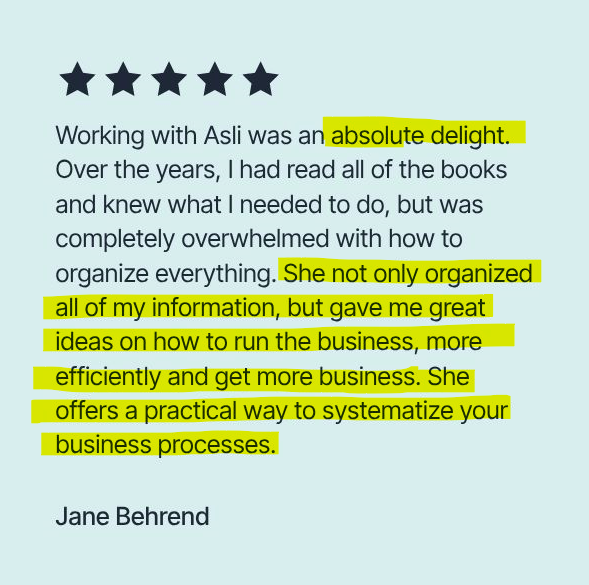
"She offers a practical way to systematize your business processes." Jane B., Owner, Emerging Destinations
Frequently Asked Questions
Why don't employees follow SOPs? Usually because the SOPs are hard to follow, hard to find, out of date, or were never properly introduced. Fixing those four things fixes most adoption problems.
Who should write a business's SOPs? The people who do the work should be involved, with one owner per SOP responsible for keeping it accurate. Many owners have them written through structured interviews so the knowledge gets captured without taking their team away from the work.
How often should SOPs be reviewed? Whenever the process changes, and on a regular schedule for your most important processes.
Where should SOPs be stored? In one organized, searchable operations manual with a hub for each team, so everyone can find the right SOP in seconds.
Ready to create SOPs your team will actually use?
Get the Small Business Operations Manual Template, pre-built in Notion with 60+ SOPs ready to customize.
Prefer to have it done for you? See how our Custom Operations Manual service works, or book a discovery call.